

Speak Bangla.
Shobdo types it.
Free voice typing for Mac and Windows. Hold one key, talk, and your words appear in any app.
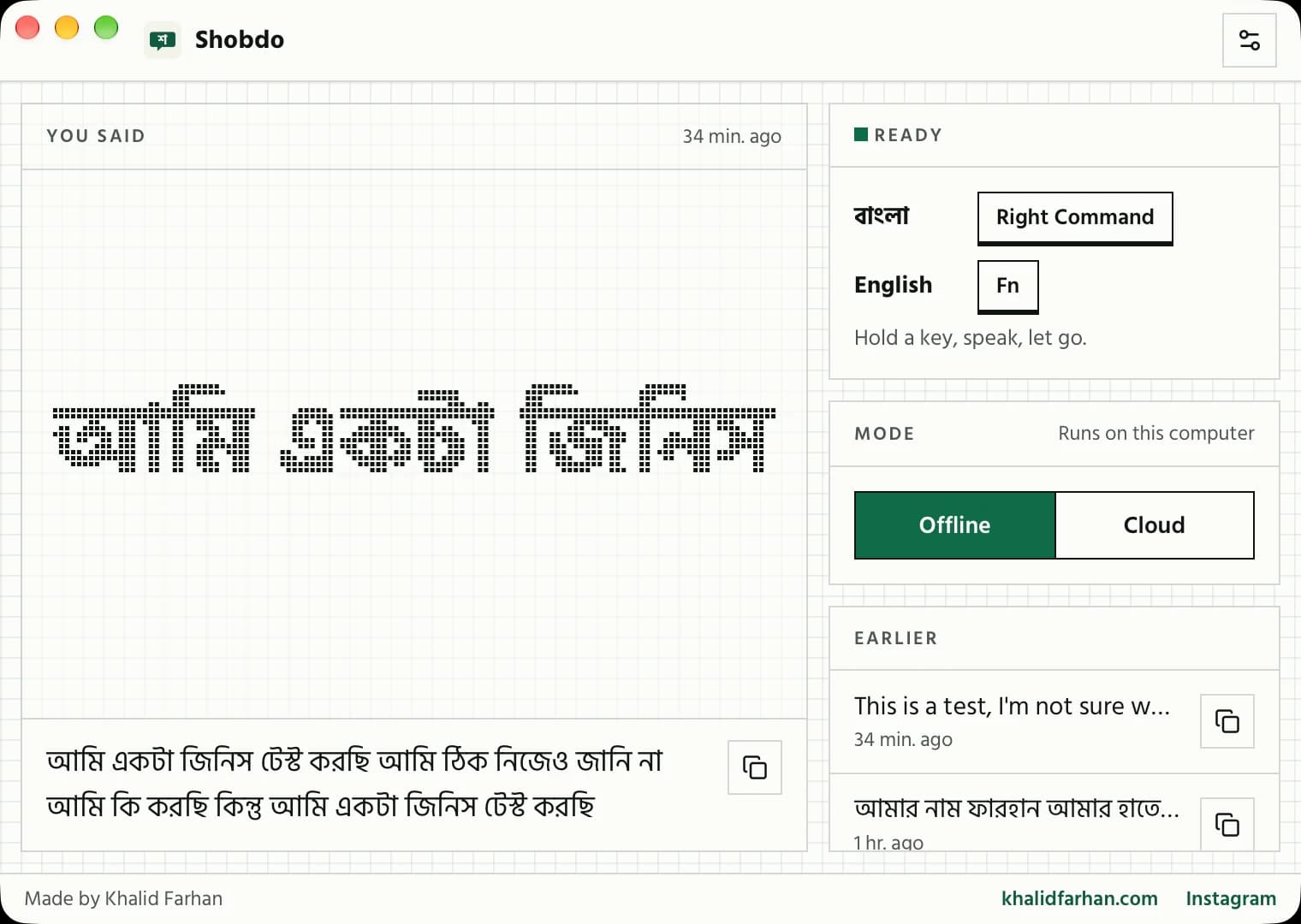
Hold. Speak. Let go.
That is the whole app. Try the hold here: in Shobdo you hold a key instead of this button, and your own words appear.
One key for each language.
Bangla in Bangla script. Mixed Bangla and English works too.
Clean English with punctuation, for your emails and messages.
On Windows: Right Alt for Bangla, Right Ctrl for English. You can change both in Settings.
Other tools were not made for Bangla.
I dictate a lot, in English and in Bangla. Every voice typing app I tried got my Bangla wrong. So I tested 13 speech engines on 110 Bangla recordings and built Shobdo on the ones that did best.
Khalid Farhan
Our test, October 2026: 110 clips of read Bangla, Bangladeshi phone recordings and Bangla mixed with English. Lower is better.
Free on your computer, or sharper in the cloud.
Offline
- Works without internet.
- Your voice never leaves your computer.
- One-time download of the Bangla model, about 830 MB.
Cloud
- The most accurate, best for Bangla mixed with English.
- Uses your own free Google Gemini key.
- Recordings go to Google to be written out, never to me.
Switch between them any time with one click in the app.
Set up in two minutes.
Download
Pick Mac or Windows below and open the file.
Allow
Let Shobdo use the microphone and type for you.
Hold
Hold Right Command, speak Bangla, let go.
Questions
Is it really free?
Yes. No account, no trial, no card. Offline mode costs nothing to run. Cloud mode uses your own Google Gemini key: Google has a free tier with daily limits, and anything above it is billed by Google to you, never by me.
Which computers does it run on?
Macs with Apple Silicon (M1 or newer) or Intel, on macOS 10.15 or later, and 64-bit Windows 10 or 11.
Windows says “Windows protected your PC”. Is that safe?
Windows shows that for new apps it has not seen many times yet. Click More info, then Run anyway. The Mac version is signed and checked by Apple.
Where do my recordings go?
In offline mode, nowhere: everything stays on your computer. In cloud mode, each recording goes to Google to be turned into text, using your key. I never see your recordings or your text.
Does it work in every app?
Anywhere you can type: Facebook, WhatsApp, Gmail, Word, Google Docs, your browser. Shobdo types the words where your cursor is.
Can I change the keys?
Yes, in Settings. The defaults are Right Command for Bangla and Fn for English on Mac, and Right Alt and Right Ctrl on Windows.
Start writing Bangla with your voice.
Free, made by Khalid Farhan. Built on the open-source app Handy. The offline Bangla model is by Bengali.AI.